
Cutting list in Excel: a free template
Enter the finished sizes and edge tape, and the template works out the cut size, the area, tape metres per thickness and an estimate of the sheets. No sign-up, for Excel.
What the template does
You fill in the yellow cells; the grey ones calculate themselves. The columns follow the Easy Form Studio cutting list: part, material, thickness, finished size, grain, edge tape per edge, hinges and note.
- Edge bander pre-mills: YES/NO. YES: the cut size is the finished size. NO: the tape on the opposite edges is taken off.
- m² and edge tape metres for 0.4 / 0.8 / 1 / 2 mm, per row and in total
- Bill of materials per decor and thickness, with an estimate of sheets (10 % waste, 2800 × 2070 mm sheet)
- Drop-downs for grain and tape thickness, prints on landscape A4
How to use it
- Enter the project and choose whether your edge bander pre-mills.
- For each part enter the quantity, decor, thickness, finished length (along the grain) and width.
- Pick the tape thickness for each edge or leave it empty.
- In the bill of materials enter the decors and thicknesses; m², tape and sheets add up.
- Delete or overwrite the example in the first three rows.
When Excel is no longer enough
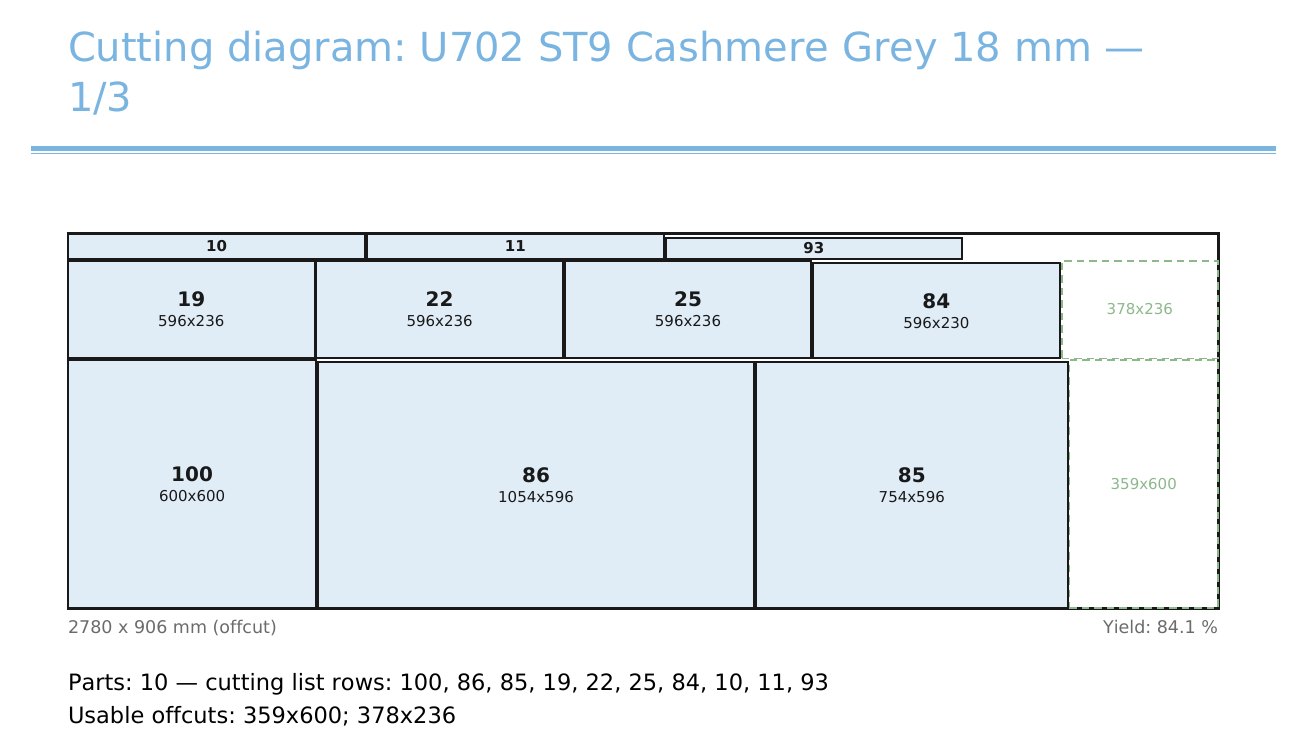
A list by hand works until the project changes. Every new size means retyping rows, and a mistake shows up at the saw. Easy Form Studio makes the list from the 3D model: change a cabinet’s width and the shelves, fronts, edge tape, cutting plan and CNC files update.
Questions
Is the template really free?
Yes, with no sign-up and no e-mail. You may change it and use it in your workshop.
Which formulas does it use?
Only basic ones (IF, SUMIFS, ROUNDUP), with no macros.
Why is the sheet count only an estimate?
The template divides the area plus waste by the sheet area. The exact number comes from a cutting plan, which allows for the saw kerf, trim, grain and the real layout.
Start your own project
€19 a month, €149 a year or a lifetime licence for €499 once. With the monthly or the yearly plan, EFS Web in the browser is free for the first 14 days; the Windows and Mac app and the Blender add-on unlock with the first payment.